Default Router Password List (Username and Password by Brand)
Every router ships with a default username and password for its admin page. Find your brand in the list below, then log in at the router IP shown, such as 192.168.1.1. If the default login does not work, someone has changed it, and a factory reset will bring it back.
Many routers made in recent years print a unique password on the label instead of using a shared default. Always check the sticker on your router first.
Router Username and Password List (A–Z)
| Brand | Default IP | Username | Password |
|---|---|---|---|
| 2Wire | 192.168.1.254 | none | System password on label |
| ARRIS (cable modems) | 192.168.100.1 | admin | password |
| ARRIS (SBG modem-routers) | 192.168.0.1 | admin | password |
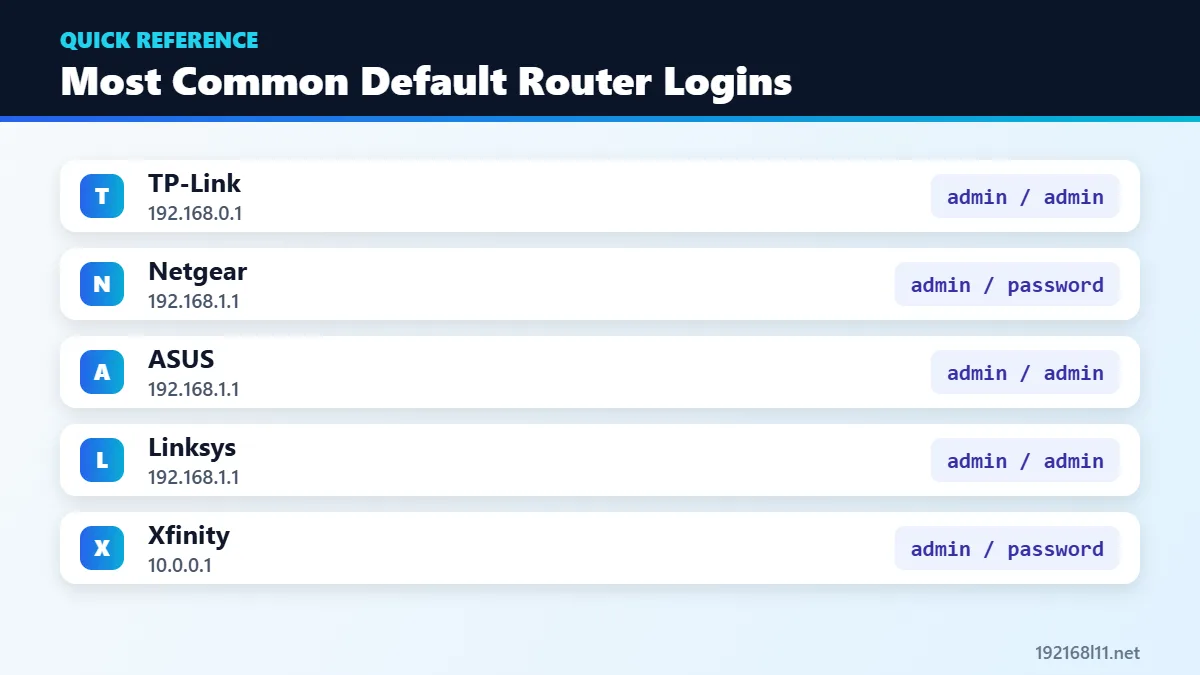
| ASUS | 192.168.1.1, 192.168.50.1 or router.asus.com | admin | admin |
| AT&T | 192.168.1.254 | none | Device Access Code on label |
| Belkin | 192.168.2.1 | admin | (blank) |
| BT Hub | 192.168.1.254 | none | Admin password on hub |
| Buffalo | 192.168.11.1 | admin | password |
| Cisco (small business) | 192.168.1.1 | cisco | cisco |
| D-Link | 192.168.0.1 | admin | (blank) |
| Huawei (routers) | 192.168.3.1 or 192.168.8.1 | admin | admin or on label |
| Huawei (fiber ONT) | 192.168.100.1 | root | admin |
| Linksys | 192.168.1.1 | admin | admin |
| MikroTik | 192.168.88.1 | admin | (blank) or on label |
| Motorola (modems) | 192.168.100.1 | admin | motorola |
| Netgear | 192.168.1.1 or routerlogin.net | admin | password |
| PTCL | 192.168.10.1 | admin | admin or on label |
| Sky Hub | 192.168.0.1 | admin | on label (older: sky) |
| Tenda | 192.168.0.1 | admin | admin |
| TP-Link | 192.168.0.1 or tplinkwifi.net | admin | admin |
| TRENDnet | 192.168.10.1 | admin | admin |
| Ubiquiti EdgeRouter | 192.168.1.1 | ubnt | ubnt |
| Verizon Fios | 192.168.1.1 | admin | on label |
| Virgin Media Hub | 192.168.0.1 | none | Settings password on label |
| Wavlink | 192.168.10.1 | none | admin |
| Xfinity | 10.0.0.1 | admin | password |
| Xiaomi | 192.168.31.1 | none | set during setup |
| ZTE | 192.168.1.1 | admin | admin |
| Zyxel | 192.168.1.1 | admin | 1234 |
Default Passwords for Popular Brands
TP-Link Default Password
Older TP-Link routers use admin / admin at 192.168.0.1 or 192.168.1.1. Newer models open tplinkwifi.net and ask you to create a password on first login. The WiFi password is printed on the label as “Wireless Password/PIN”.
Netgear Router Default Password
Netgear routers use username admin and password password. Log in at routerlogin.net or 192.168.1.1. Newer Nighthawk and Orbi models make you set your own admin password during setup.
ASUS Router Default Password
ASUS routers use admin / admin at router.asus.com, 192.168.1.1 or 192.168.50.1. Recent models ask you to change it during the first setup.
Linksys Default Password
Linksys routers use admin as the password, with the username blank or admin, at 192.168.1.1.
ARRIS Router Default Password
ARRIS cable modems and modem-routers use admin / password. Modems open at 192.168.100.1; SBG modem-routers at 192.168.0.1.
Xfinity Router Default Password
Xfinity gateways use admin / password at 10.0.0.1. You are asked to change it after the first login, and the Xfinity app is the easiest way to manage settings.
AT&T, BT and PTCL Routers
AT&T and BT routers log in at 192.168.1.254 with the code printed on the label, while most PTCL routers use 192.168.10.1.
How to Find Your Router’s Password
- Check the label on the bottom or back of the router. Look for “Admin password”, “Router login” or “Device Access Code”.
- Check the manual or box that came with the router.
- Try the defaults in the list above for your brand.
- Ask your internet provider if they supplied the router. ISPs often set custom passwords.
Forgot Your Router Password? Reset It
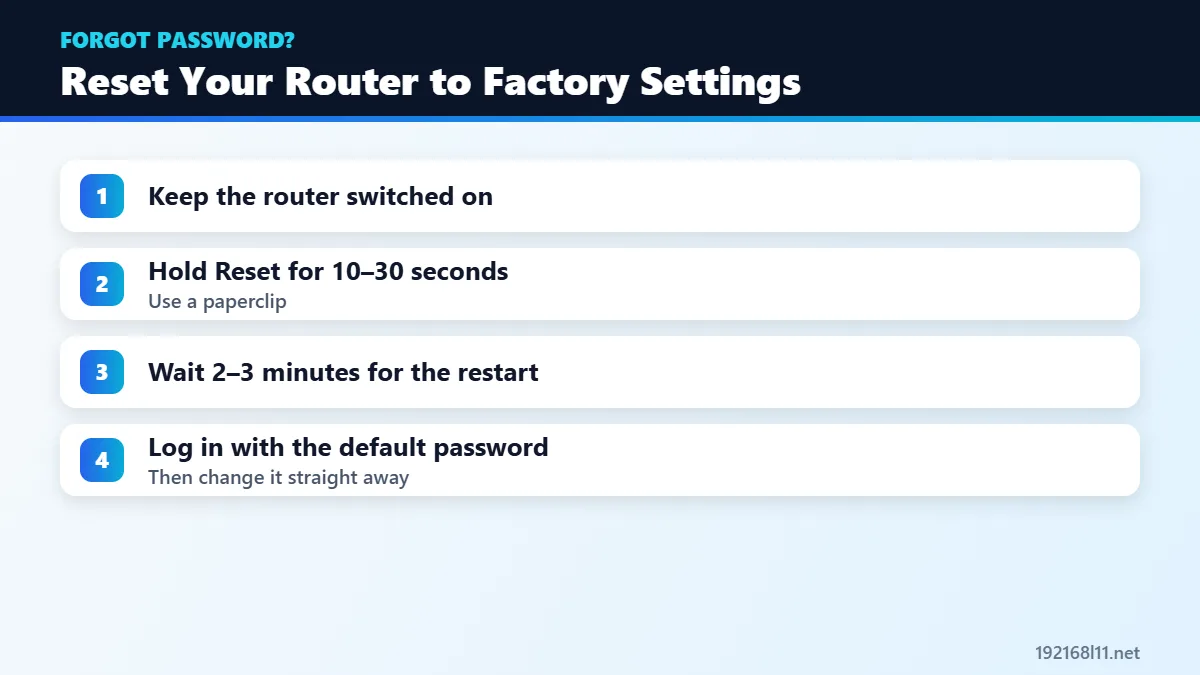
If none of the defaults work, reset the router:
- Keep the router switched on.
- Press and hold the Reset button on the back for 10–30 seconds, using a paperclip.
- Wait 2–3 minutes for the restart.
- Log in with the default username and password from this list.
A reset erases all your settings, including WiFi name, password and your ISP login. Note those details first if you can.
Change the Default Password Straight Away
Default passwords are public, so anyone on your network can use them to take over your router. After logging in:
- Change the admin password to something long and unique.
- Change your WiFi password and use WPA2 or WPA3 (step-by-step guide).
- Turn off remote management and WPS.
- Update the router firmware.
FAQs
What is the default router password?
The most common default is admin for both the username and password. Netgear and ARRIS use password, and many new routers print a unique password on the label.
What is the difference between the router password and the WiFi password?
The router (admin) password opens the settings page at 192.168.1.1 or similar. The WiFi password connects your devices to the network. They are usually different.
How do I change my default router password?
Log in to your router, open System, Administration or Management, enter a new admin password and click Save.
Why is the default password not working?
The password was changed, either by you, a previous owner or your internet provider. Reset the router to restore the default.
Found Your Login? Secure It Now
Default passwords are public. Log in, set a unique admin password and switch your WiFi to WPA2 or WPA3.